Background Remover
For anyone who needs a cut-out of a person, product, pet or logo, such as a cover artist or an online seller, without uploading the picture to a service. The segmentation model runs on the visitor's own device.
- Category
- Creative tool
- Status
- Live
- Role
- Design and development
- Year
- 2026
Overview
Background Remover finds the subject of a JPG, PNG or WebP image and makes everything around it transparent. The model runs in the browser through Transformers.js, on the graphics card with WebGPU where the browser supports it and on the processor with WebAssembly everywhere else.
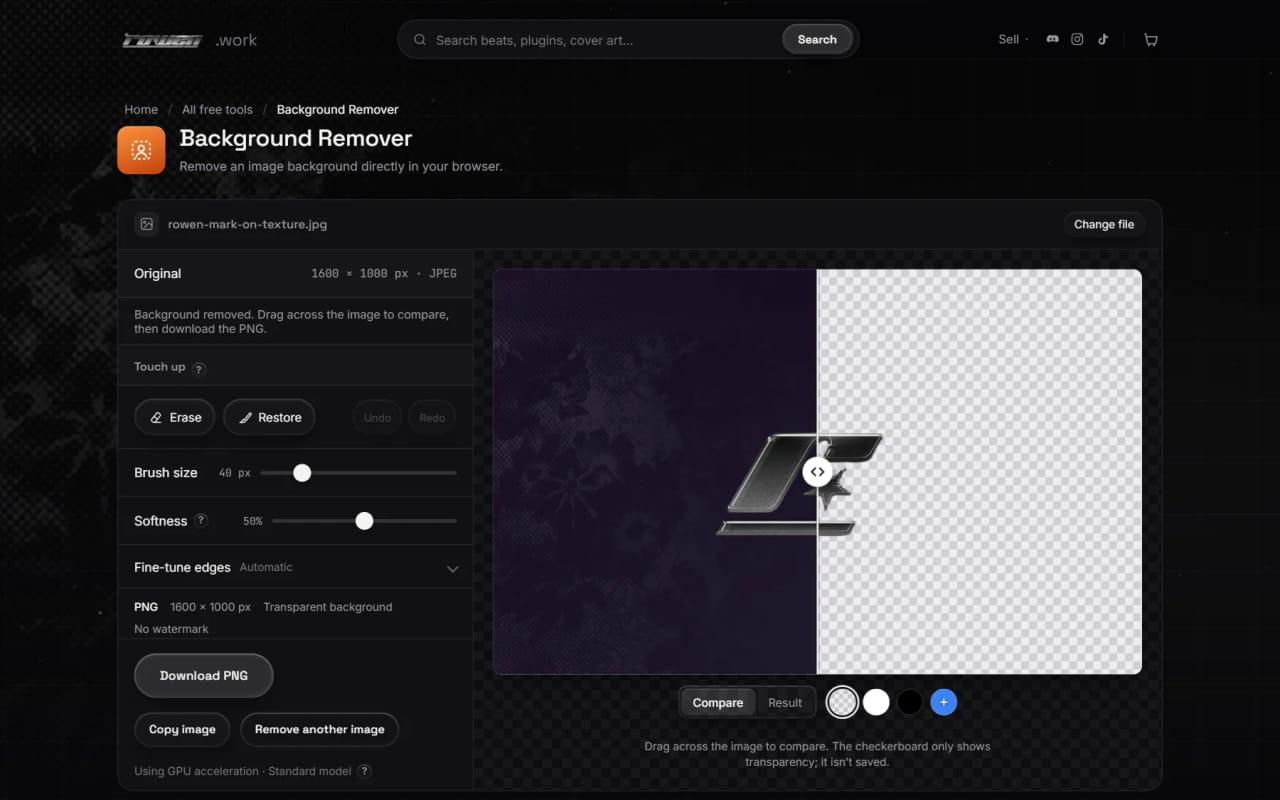
The result can be compared with the original by dragging across it, checked on white, black or a custom colour, and fixed with Erase and Restore brushes that have undo and redo. Edge controls shift, smooth or feather the outline, and an edge-colour clean-up removes the old background's tint from see-through edges.
The download is a PNG at the original size with no watermark, or the cut-out on a solid colour, and it can also be copied to the clipboard. Solid pixels in the file are the photo's own pixels; only transparency and see-through edge colours change.
What it does
Processed on the device
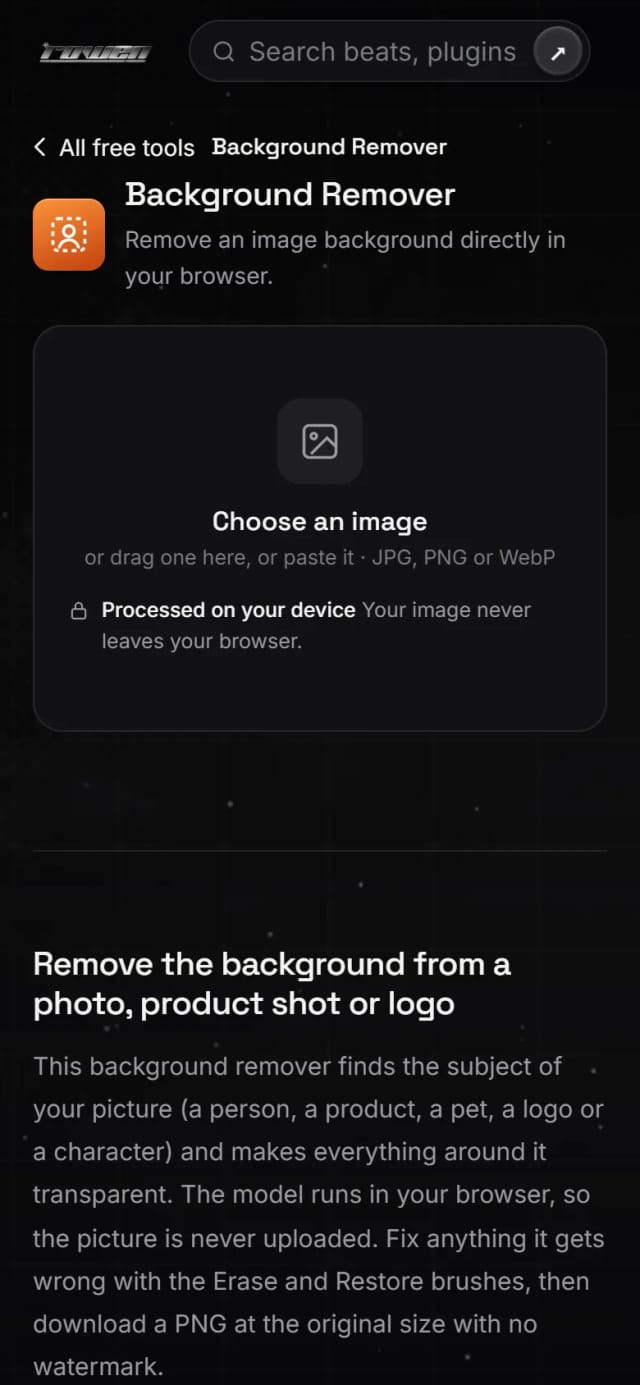
Decoding, the model, the brushes and the PNG all run in the browser, and the page says so next to the upload. The first visit downloads the model once (about 98 MB for the standard model) and the browser keeps it, so later visits start sooner.
Two models, picked for the device
Standard uses BiRefNet_lite at 512 px (MIT licence) on desktops and laptops. Light uses IS-Net (Apache-2.0) on phones, tablets and devices that report 4 GB of memory or less. The choice can be changed by hand, and switching re-runs the picture while keeping brush strokes.
Compare and check the edges
Drag across the image to compare the original with the result. Preview the cut-out on a checkerboard, white, black or any colour, or switch to the mask view.
Touch-up brushes
Erase and Restore brushes with adjustable size and softness fix anything the model missed or cut away. Undo and redo step through strokes, and strokes survive later edge changes.
Edge controls
Refine fine edges, Clean edge colours, Shift edge, Smoothness and Feather, with a reset that puts the adjustments back.
Full-size download
Download PNG keeps the original size up to 50 megapixels; on iOS and low-memory devices the cap is lower and the page says when it scales down. Download with this background fills behind the cut-out with the preview colour, and Copy image puts the PNG on the clipboard.
Flexible input
Choose a file, drop it anywhere on the tool or paste it. The file type is read from the file's first bytes, so a renamed text file is refused and a PNG named .jpg still works. Files up to 60 MB are accepted.
How it was built
Choosing a model that fits in a browser tab
Candidate models were measured on both WebGPU and WebAssembly for download size, speed, memory and cut-out quality on a mixed set of test images. The full-size BiRefNet_lite export exceeded WebGPU's storage-buffer limit and the WebAssembly heap, so a 512 px re-export became the standard model; IS-Net is faster and lighter for phones. Models licensed only for non-commercial use were ruled out, and both chosen models are pinned to a specific commit so nothing upstream changes the page by surprise.
WebGPU with a quiet fallback
The model worker uses WebGPU only when the adapter isn't a software fallback, supports 16-bit float shaders and has enough storage buffers. If loading or a run fails on the GPU, it drops the session, loads WebAssembly and runs the same picture again. One fp16 model file serves both paths, so falling back never downloads a second model.
Edges that can only get sharper
A colour guided filter lines the model's mask up with the photo's own edges, but it is constrained to sharpen only: pixels the model leaned towards background can only get more transparent, and pixels it leaned towards the subject only more solid. Left unconstrained it pulled light walls into dark hair as a grey halo. Blur-fusion foreground estimation then replaces the old background's colour in see-through edge pixels without touching solid ones.
Exact pixels, off the main thread
The preview, mask and brush work at a 2048 px copy. For the download, a second worker decodes the original at full size, scales the mask up, applies it in bands of rows and encodes the PNG on an OffscreenCanvas, so the page stays responsive and solid pixels stay identical to the source; a unit test checks that. Brush strokes live on a separate layer from the mask, and undo stores only the rectangle a stroke touched, within a fixed memory cap.
Built with
- Transformers.js 4.3
- ONNX Runtime Web
- BiRefNet_lite (MIT)
- IS-Net (Apache-2.0)
- WebGPU
- WebAssembly
- Web Workers
- OffscreenCanvas
- Cache Storage
- Clipboard API
Want something like Background Remover?
Tell me what you are building and what it needs to do. rowenapichardo@gmail.com