KitTheme
For producers who make and share drum kits and want them to look finished in FL Studio's Browser without Photoshop, Illustrator or Canva. The producer brings the sounds; KitTheme handles the look.
- Category
- Web app
- Status
- Live
- Role
- Design and development
- Year
- 2026
Overview
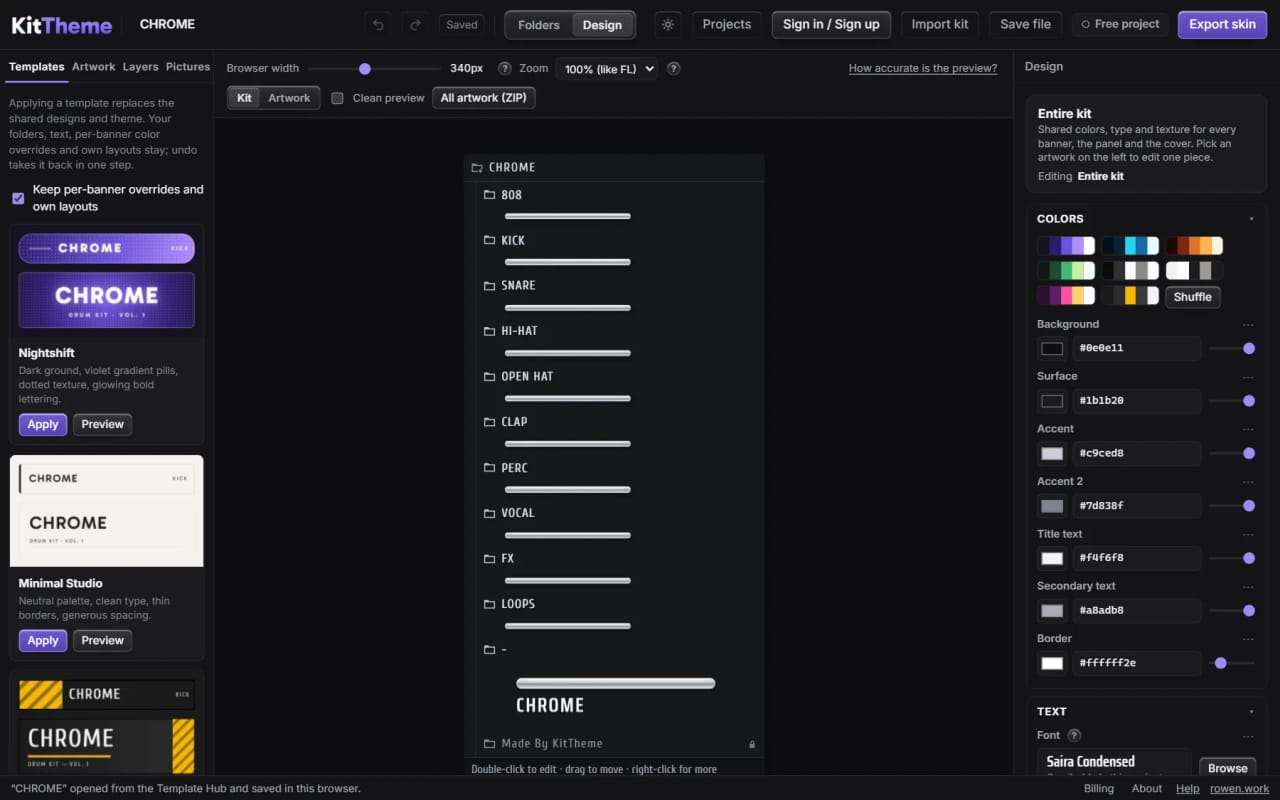
KitTheme is a web editor for everything a drum kit needs except the sounds. A producer imports a kit folder or ZIP, starts from a template or starts blank, then sets each folder's name, color, icon, order and hover text while a live preview shows how the kit will look in FL Studio's Browser. It never makes or changes audio: sample files are listed by name and left untouched.
Design mode draws the artwork: a banner under each folder, the logo panel and a cover image to post, built from text, shape, picture and pill layers. A style can be shared by every banner or changed on one, and any piece of artwork downloads as a PNG at any time. The finished kit downloads as a ZIP that merges into the kit folder, with install steps included.
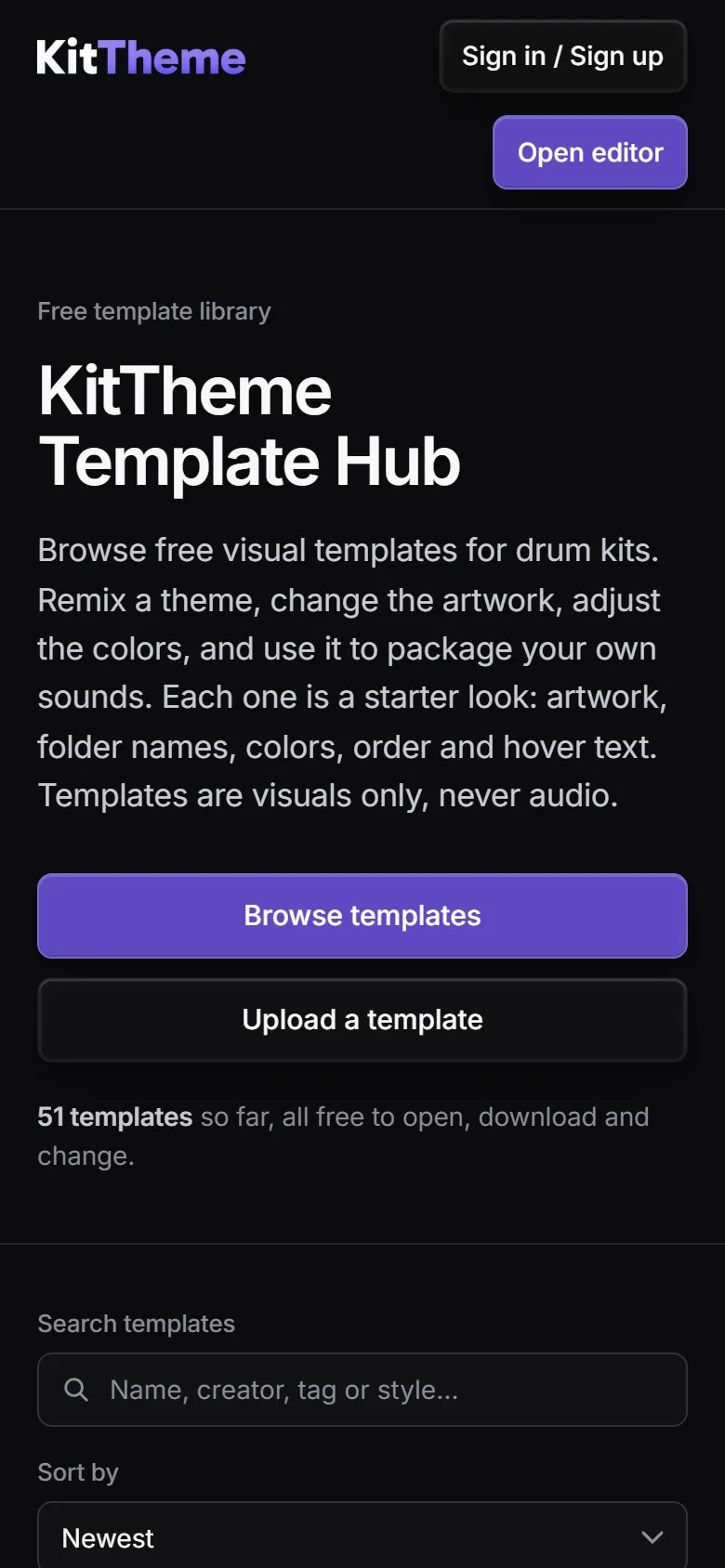
The Template Hub is a free library of visual templates. Official templates and community uploads can be searched, previewed and opened in the editor as new projects, and uploads never carry audio or sample names. Editing needs no account; downloading the finished kit needs a free account with a verified email, and free downloads carry a small KitTheme credit that a one-time payment removes for that project.
What it does
Kit import and local projects
Drop in a kit folder or ZIP and the folder tree, any existing styling and its pictures come in. Projects autosave in the browser with undo and redo, and Save file moves a project to another computer.
Live FL Studio preview
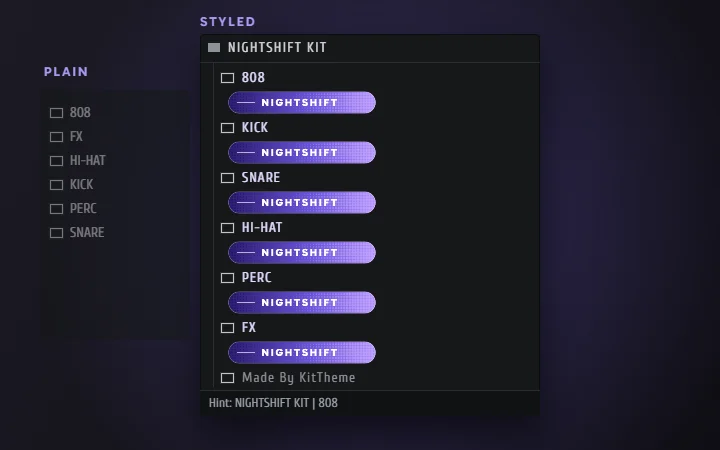
A preview modeled on FL Studio's Browser shows names, colors, icons, banners and hover text at the size FL displays them, updating as each edit is made.
Folder styling
Each folder gets its own name, color, icon, order and hover text. Several folders can be selected with Shift or Ctrl and given a name-color gradient in one step.
Design mode artwork
Banners, the logo panel and a cover are built from text, shapes, pictures and decorative pills, with gradients, textures, glow and shadow. Built-in design templates give a starting point, and a change can apply to one banner or to every banner sharing the design.
Visual crop dialog
Every uploaded picture opens in a crop dialog with a draggable frame, zoom, Fill, Fit and Stretch, and preset shapes for banners and logo panels. The original upload is kept, so cropping again later never loses quality.
PNG downloads and kit export
Any piece of artwork downloads as a PNG at 1x to 4x or a custom width, or all of it at once as a ZIP. The kit export is a ZIP ready to merge into the kit folder, with step-by-step install instructions for Windows and Mac.
Template Hub
A free library of visual templates with search, style and tag filters, sorting and a full preview of every folder. Any template opens in the editor as a new project, and signed-in creators with a username can upload their own, which go live at once and can be reported.
Accounts and creator pages
Email sign-up with a verification code, password reset, and a creator card with avatar, banner and accent color. A creator can make the profile public, and the public page lists that creator's templates.
Screens
How it was built
The export is built on the server
The browser has no export builder. The server checks the account and the project's purchase, then re-validates the whole project as untrusted input: folder names that could escape the ZIP are refused, images are checked by file signature rather than name, and every .nfo value must be a single line so hover text can't inject extra settings. The free-tier credit is added only on the server, so a request can't ask for it to be left out.
Every project file is treated as hostile
Template uploads mean a project file can come from a stranger, so the editor treats every one as hostile. One cleaner runs on every project the editor opens and every file the Template Hub stores: ids are limited to safe characters, numbers and colors are clamped, picture data is checked against its real first bytes, icon SVGs are re-sanitized, fonts are accepted only as embedded data, and folder trees are capped at 16 levels and 2000 folders.
Design values resolve one property at a time
Each property of a design resolves on its own: the banner's override, then the role (all banners, the panel or the cover), then the kit theme, then the template, then the app default. Template layers point at theme tokens instead of copying values, so a palette change reaches every layer that still follows it while a layer the user recolored keeps its own color. Banners attach to folders by id, so renaming or reordering folders keeps the artwork in place.
Matching FL Studio's display scale
FL Studio draws folder artwork at 96 divided by the picture's DPI. Measured against FL screenshots, banners saved without a DPI showed at full size and ran off the panel, so the export writes 240 DPI into PNGs that have none and FL shows them at 40%. The preview uses the same rule, and pictures that already carry a DPI keep it, so an imported kit looks the same after a round trip.
Built with
- Vanilla JavaScript
- Canvas 2D
- IndexedDB
- Compression Streams
- Node.js on Vercel Functions
- Vercel KV
- Vercel Blob
- Stripe Checkout
- Resend
- Google OAuth
- scrypt
Want something like KitTheme?
Tell me what you are building and what it needs to do. rowenapichardo@gmail.com