
The all in one macro just for you.
LuvMacro records your keyboard and mouse, saves what you did as a file, and plays it back or repeats it. It’s a free Windows app made for the Luvrr community.
LuvMacro runs on Windows. There’s no phone, tablet or Mac version to download.
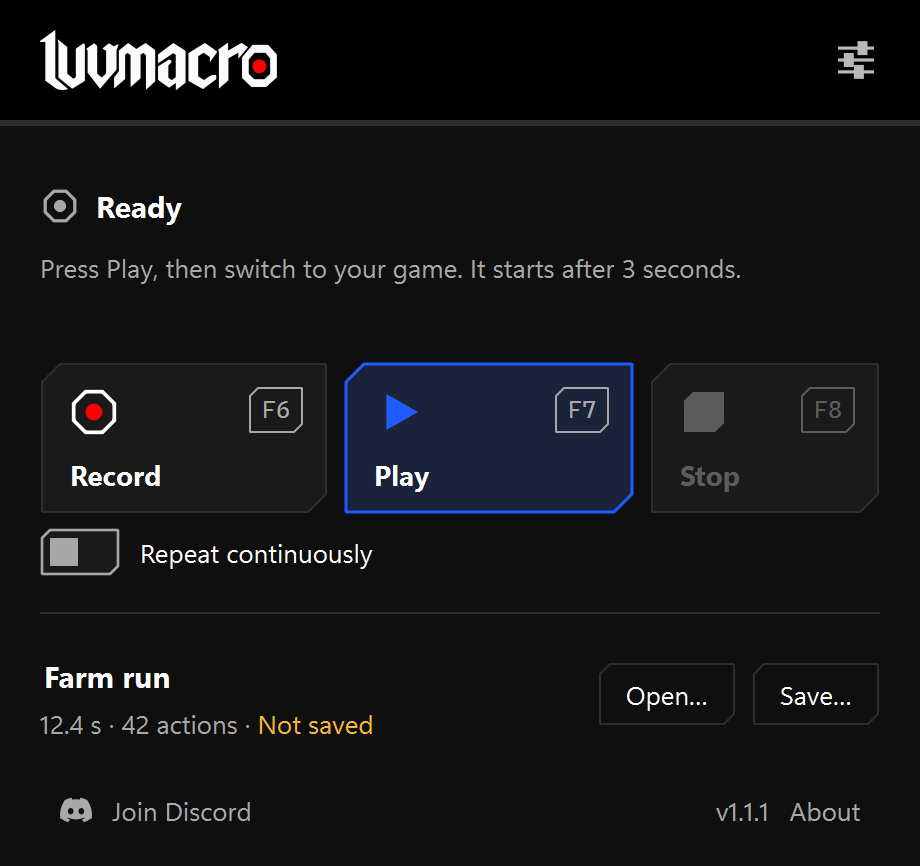
See LuvMacro in action
What it does
Record and play back
Press Record (F6), do your actions, press Stop (F8). Press Play (F7) to run them again. Opening a saved macro never plays it.
Fits the game window
Macros recorded in 1.1.0 or later remember their window and scale mouse positions to the window you play them in, so a different size or position still works. Windows only.
Stops when you say
Stop (F8) always works and lets go of any key or mouse button LuvMacro was holding. Playback also stops by itself if you switch to another window.
Start with a short recording
Learn how to install LuvMacro and record your first macro.